Real estate walkthroughs
Preparing the walk
The walk, in one loop
One take, room to room.
The whole house in a single pass. The camera walks in the front door and keeps moving — living room, kitchen, stairs, bedroom, back yard — with no cuts between rooms. Your buyer just scrolls.
- Format
- One continuous take, no cuts between rooms
- Plays on
- Any phone, nothing to install
- You get
- A link and an embed, under your name
Sample houseOne take · loops
Six ways a listing stalls, and what we build for each.
Every listing is the same twenty photos.
A property buyers can enter.
The plan, a 3D dollhouse and a guided tour sit on your listing page beside the photos, so yours is the one buyers stay in.
Photos don’t show how the rooms connect.
A plan you can click.
Every room at scale, with areas, doors and windows. Buyers see the flow before they have to ask for it.
Your buyer is in Midland, Lubbock, or another state.
A tour they can take at midnight.
A guided walk through every room, plus vertical and square video cuts for social, for the buyer who can’t drive down.
Showings eat your week for people who were never going to buy.
Buyers who have already walked it.
People arrive knowing the layout, so your showings go to the ones who are still interested.
The plan is a napkin sketch, a builder PDF, or nothing.
A clean plan, drawn to scale.
We trace what you have or work from a site visit, and hand back a plan with room areas you can put on the flyer.
The tour you paid for carries someone else’s brand.
Your name on it.
Delivered under your brokerage’s name and embedded on your own page, not on someone else’s.
Anatomy of a listing that works.
A listing card is a stack of data, and six of its bands do the work of getting a buyer to stop, walk and enquire. Every band below is one we build and hand over under your brokerage’s name.
We don’t promise a price or a number of days on market. We make the listing itself carry more of the load.
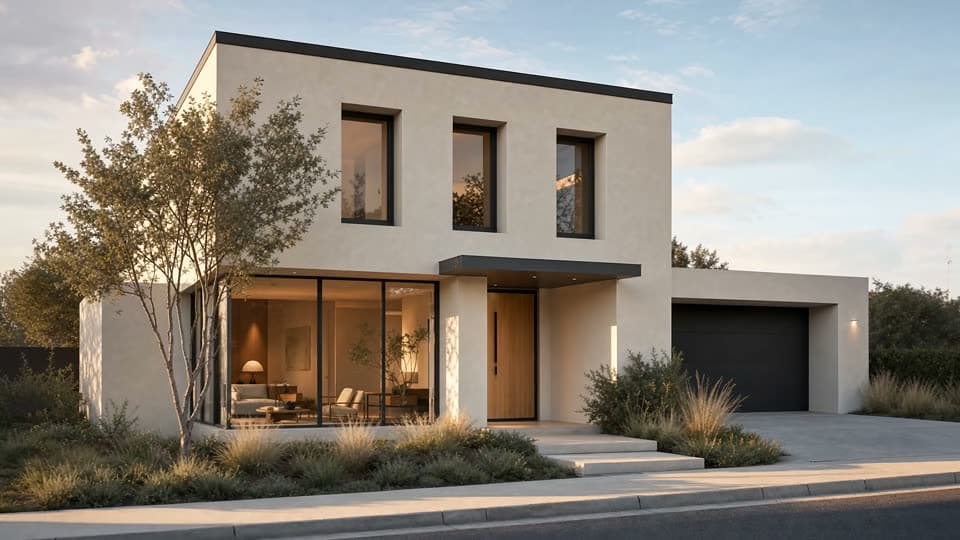
$289,000
Lot 4 · Hobbs, New Mexico
- 3 bed
- 1 bath
- 1,120 ft²
Listed by Rig5ive
Your brokerage · your contact
Opens, by day — only you see this
Lot 4 is a sample property, drawn for this page. The price, figures and times are illustrative. It is not a real listing.
Built once, the same bands work on every listing you take. The card does the first showing, so the showings you do are with buyers who already walked the house.
What changes when a buyer can walk.
A Walkthrough is a camera flight your buyer drives with their scroll. It is not a 3D scene they have to load, and there is nothing to install. They see more of the house, earlier, before anyone books a showing.
- It plays, it does not load
- The walk is pre-rendered video, not a 3D scene your buyer has to download and spin up. It opens in seconds, on an older phone.
- No app · no viewer
- Scroll is the camera
- The buyer drives the walk with their thumb, and the room they stop in is the room they cared about.
- Scroll-driven
- One continuous take
- Every scene starts on the exact frame the last one ended on, so the walk never jumps between rooms.
- No cuts
- Drawn to scale
- The model is built in greyscale at real dimensions before any finish goes on, so a room that measures 14 feet reads as 14 feet.
- Measured plan
- Change the house, not the shoot
- The walk comes from an editable model. A restaged room or a repainted wall is a rebuild, not another photographer.
- Editable model
- A link you can count
- You can see how many buyers opened the tour, and when. A photo gallery never told you that.
- Link analytics
Measure. Raise. Walk.
- 1
Measure
We trace your builder PDF or sketch, or work from a site visit, and draw a clean plan with room areas, doors and windows.
Everything else stands on this. Each frame of the tour traces back to the measured plan, so the walk shows your property at its real size rather than an approximation of it.
- 2
Raise
We raise the walls, place the furniture, set the floors, and check it against the property as listed.
The house is modelled in greyscale first, at true dimensions. Surfaces and light go on only once the geometry is right, which is what keeps a rendered room honest about its size.
- 3
Walk
We cut the guided tour and hand it over as a link, an embed for your page, video for social, and a printable plan set.
Each scene of the walk begins on the exact frame the last one ended on. That is what makes it one continuous walk instead of a slideshow, and why it scrubs smoothly on a phone.
Walk the sample lot.
A synthetic three-bedroom house, built the way yours would be. Click a room, change a floor, tip it into a dollhouse, or take the tour. This is not a real listing.
What you receive for each listing.
- Walkthrough
- A link and an embed for your listing page
- Plan · Dollhouse · Walk
- Video
- Cut from the tour for listing sites and social
- 16:9 · 9:16 · 1:1
- Plan set
- Printable, with room areas and a 3D view
- Your brand
- Your name and contact on every output
- Brokerage
Walkthrough sits inside Rig5ive’s full service. Listing pages, inquiry capture and AI phone follow-up can be built around it.
What a Walkthrough is not.
It is a marketing plan. It is not a legal survey, an appraisal or a permit drawing, and the areas are for presentation. We don’t promise sale prices or days on market.
The interiors are rendered from the measured plan and checked against the property as listed, so what buyers walk is what is there. The imagery does not depict people.
Show us how your listings look today.
The review is free. We’ll look at how your listings show up and what a Walkthrough would change.
Book a free listing review